35+ years with healthcare providers. Now, the next generation.

A complete Saudi hospital information system: from reception to the doctor, the lab and the pharmacy, connected to NPHIES and ZATCA, and running in the browser.

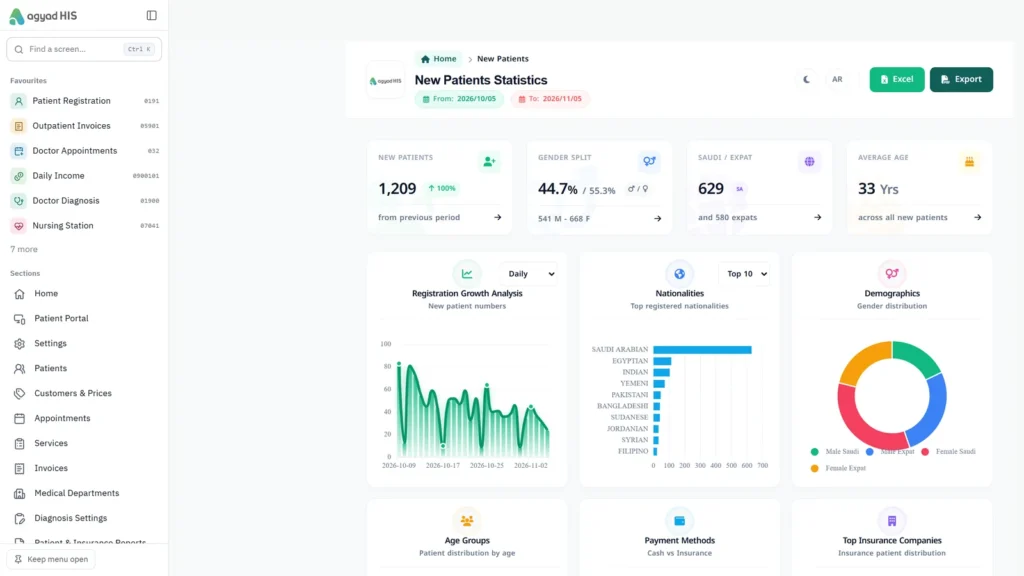
Medical management dashboard
35+years of experience
166screens
80reports
246screens and reports in total
Our story

A journey of 35+ years. And it continues.

Belal Soft was founded in 1989 as one of the first software houses in the Kingdom; its systems have been proven on millions of entries at thousands of customers. Today Agyad Tech carries that journey forward with the next generation of its medical system, agyad HIS — built around how Saudi clinics and hospitals actually work: insurance, NPHIES, RASAD and ZATCA.

“The doctor sees the patient’s history beside the visit, reception knows the insurance eligibility before the patient walks in, and finance closes the day from the same screen.”
The interface

The new interface, in the browser

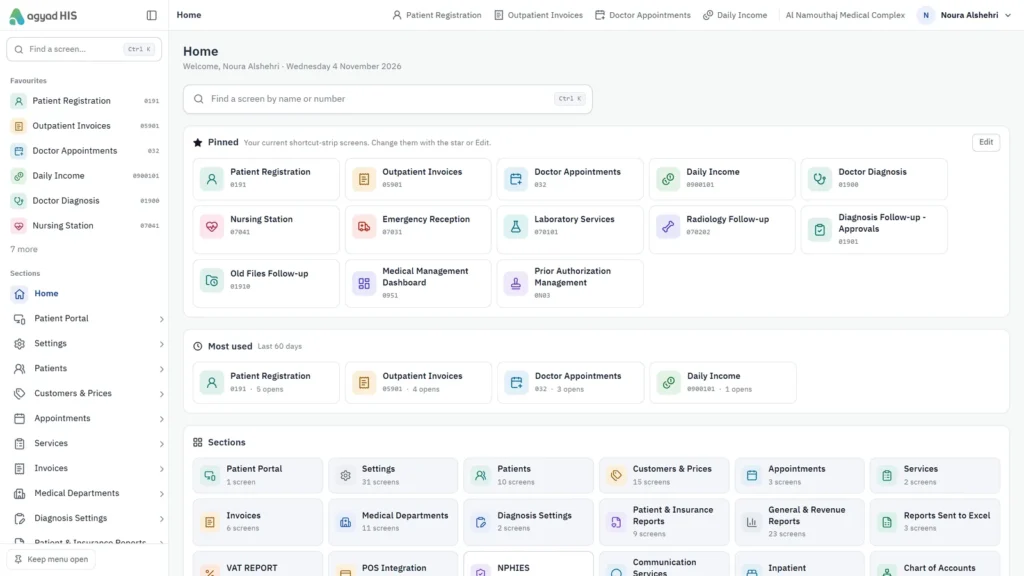
A sidebar with every module, search for any screen by name or number (Ctrl+K), favourites per user, and each user’s most-used screens ready at login.
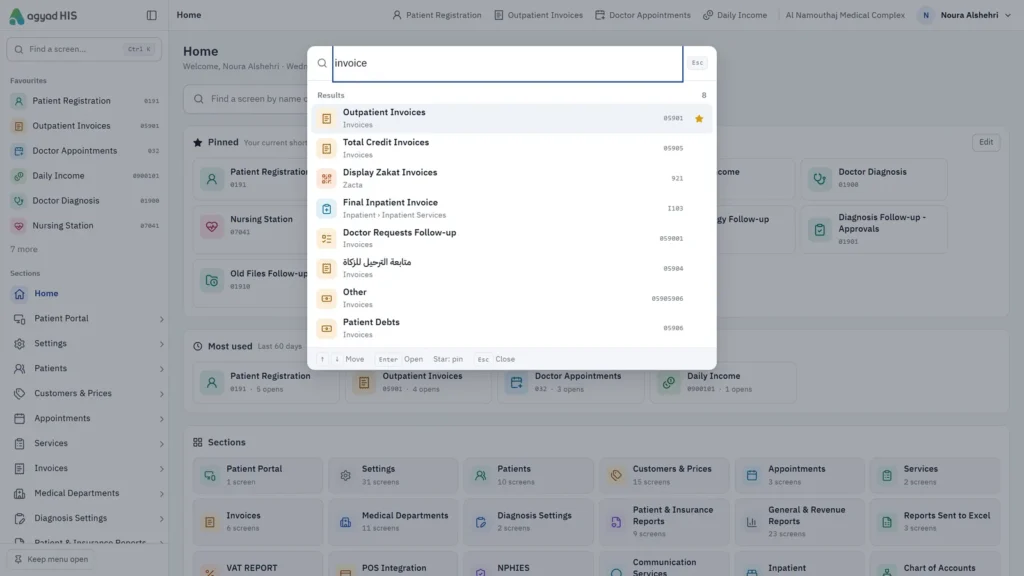
Ctrl+K search: any screen by name or number
Home — favourite screens and modules
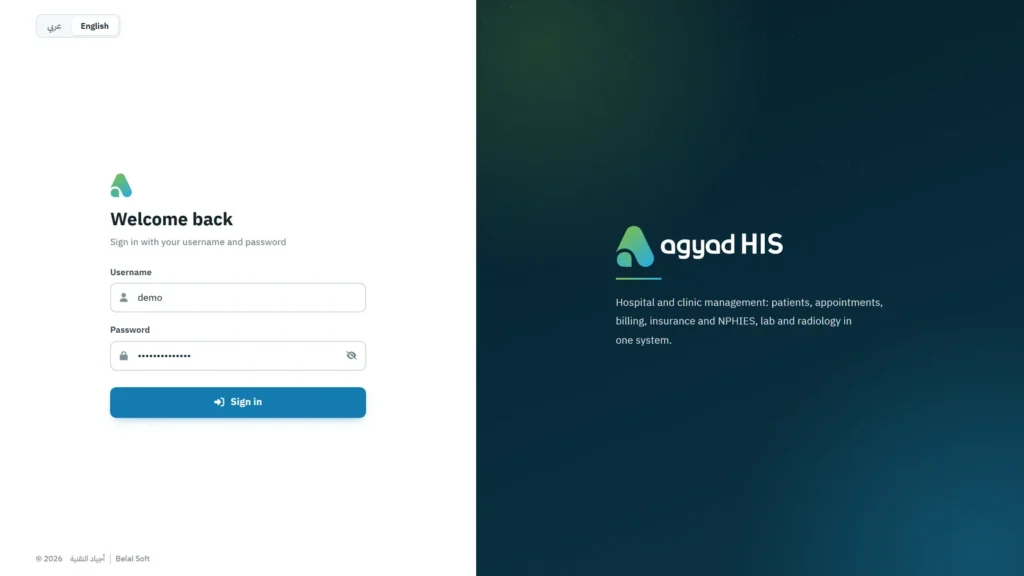
Login page in the agyad HIS identity

Reception: 18 screens and reports

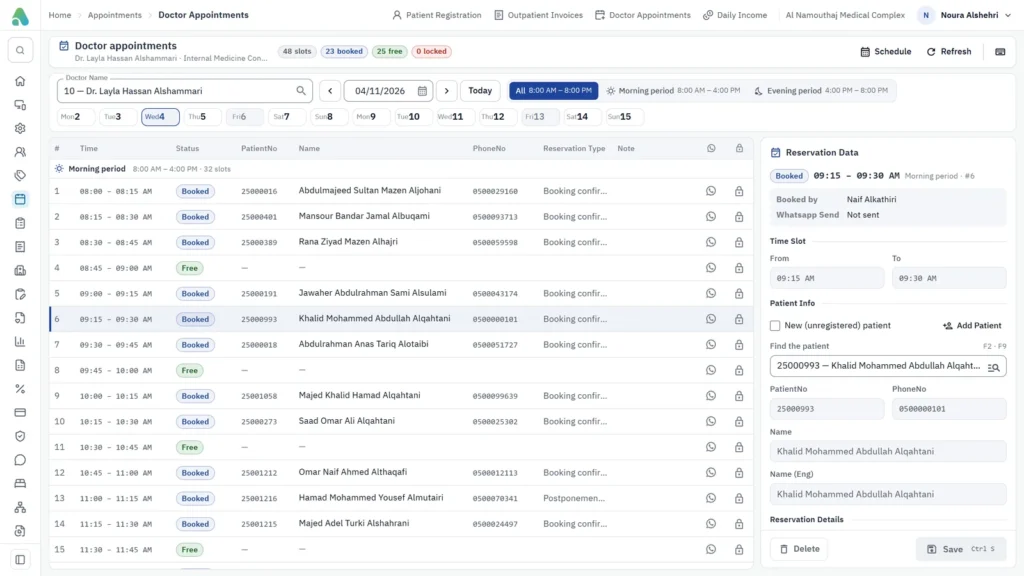
Patient file, booking, invoicing and eligibility check — from one place, before the patient reaches the doctor.
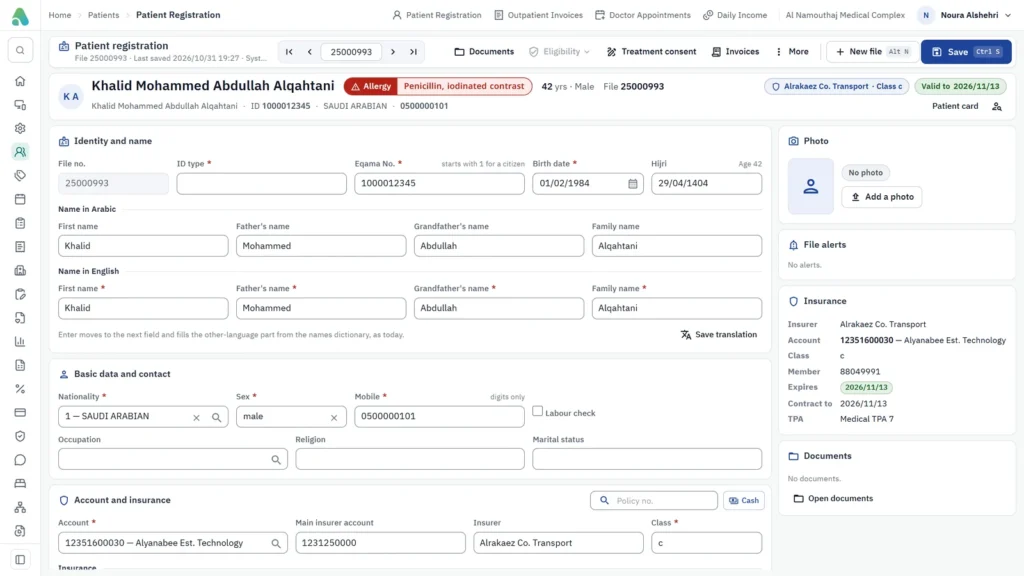
Patient file: identity, insurance and allergies on one screen
Booking — today’s schedule and each appointment’s status
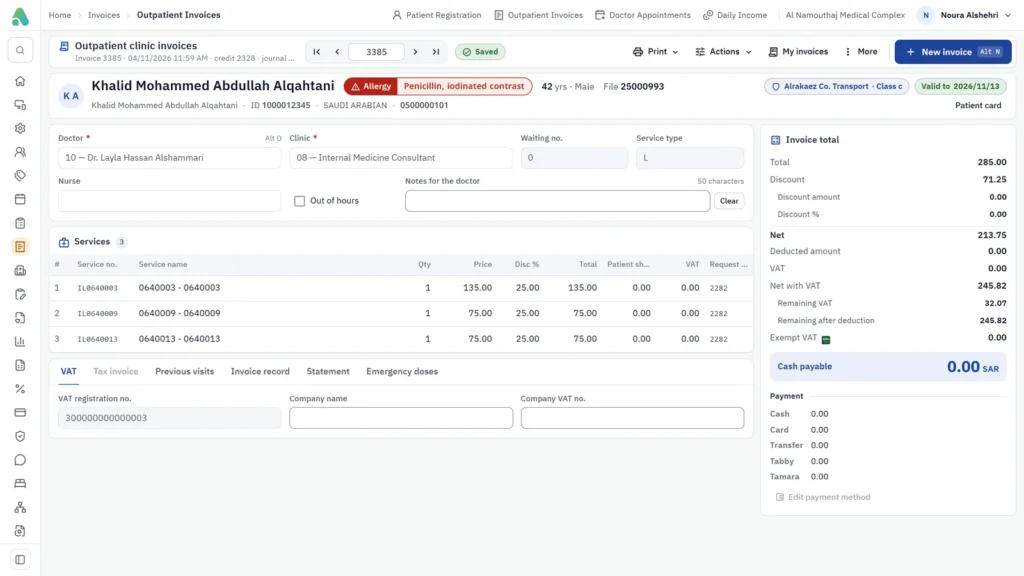
Outpatient invoice for an insured patient
  • Patient file with details, insurance and visits
  • Appointment booking by clinic and doctor
  • Visit invoice — cash or insurance — from reception
  • Insurance eligibility check before admission
  • Labour check for maternity cases
  • Waiting queues per clinic

The doctor’s screen: everything in one visit

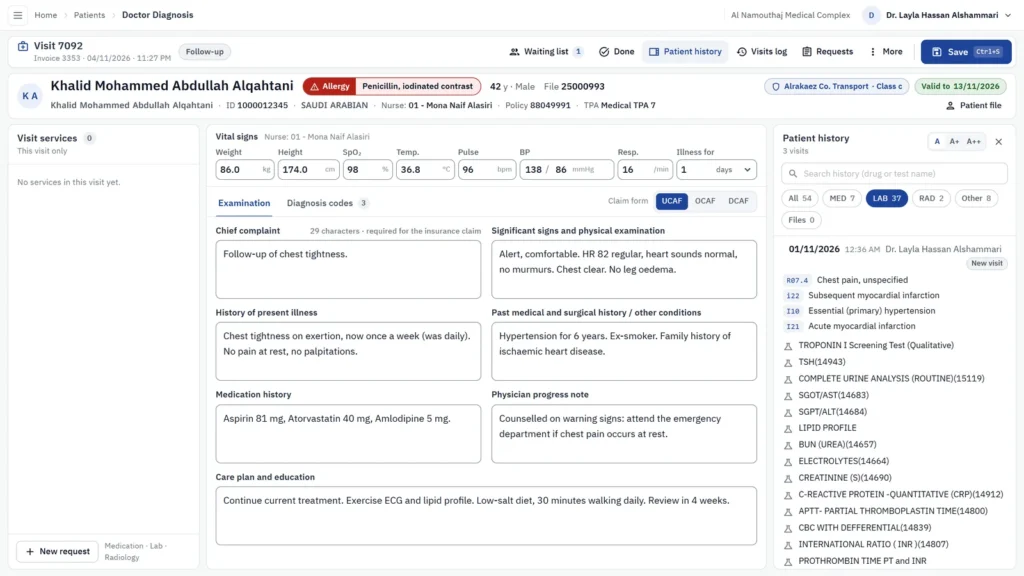
Allergies in red at the top, the patient’s history beside the visit, and orders, prescriptions and sick leave from the same screen. 8 screens and reports.
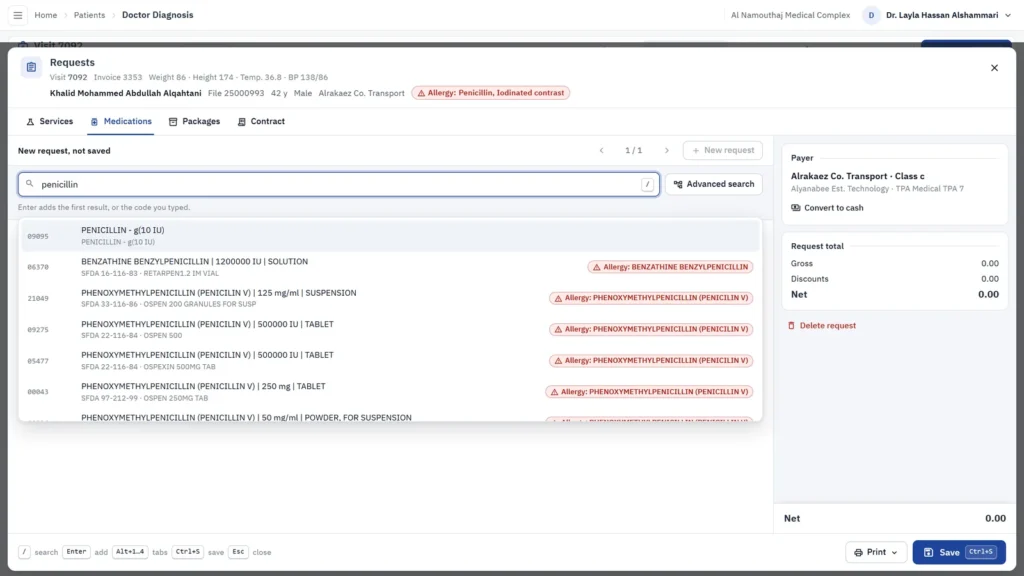
Allergy alert in red when searching for a medicine
Patient history beside the visit
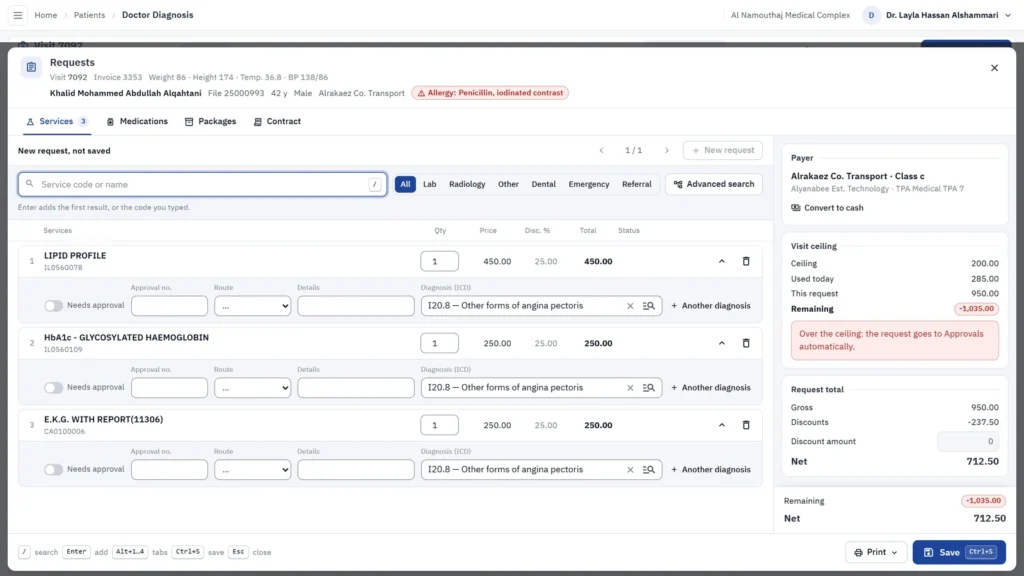
Orders: lab and radiology with the diagnosis
  • ICD-coded diagnosis and prescription
  • Lab and radiology orders from the visit
  • Sick leave
  • UCAF, DCAF and OCAF insurance forms

Clinical departments, linked to the visit

Lab, radiology, nursing, emergency and inpatient — each department receives the doctor’s order and returns the result to the patient file.

Lab · 12

Orders, results and printing, with reference ranges.

Radiology · 7

Orders and reports with the visit.

Inpatient · 7

Admission, beds, discharge and billing.

Nursing · 3

Vitals and notes.

Emergency · 1

Emergency intake linked to the visit.

Medical total

115 screens · 55 reports · 170.
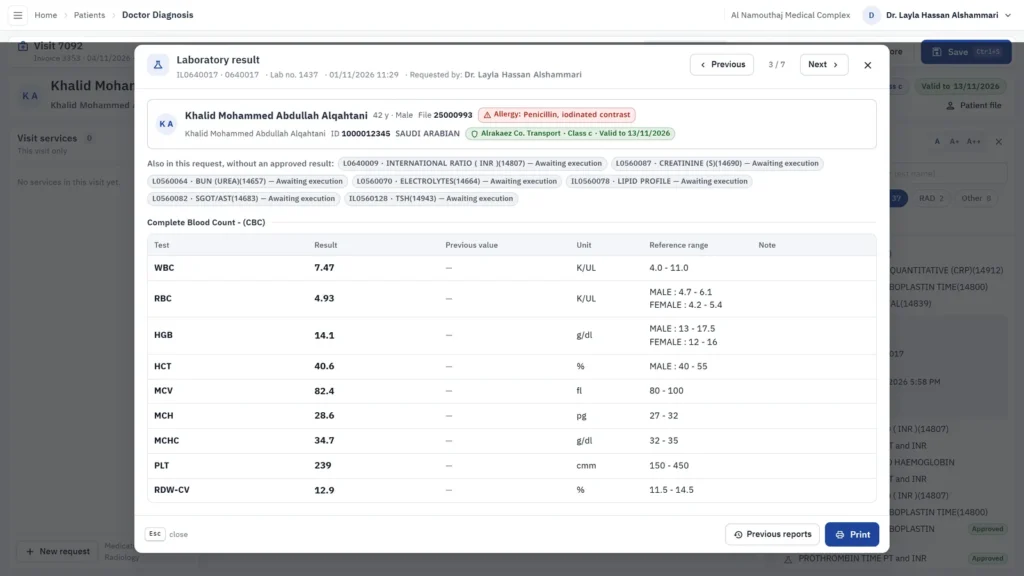
Lab results viewer
Lab results viewer
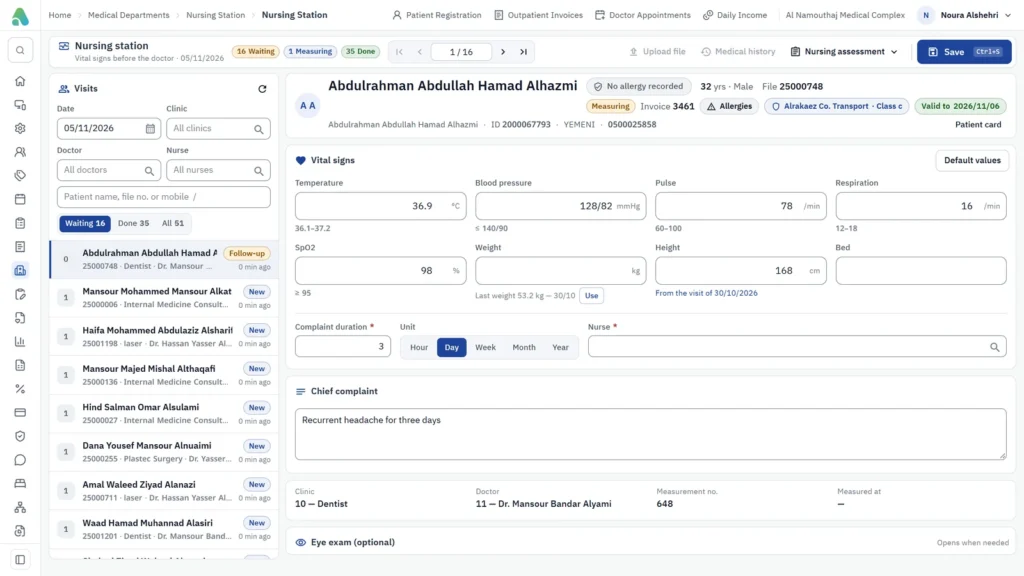
Nursing station: vital signs
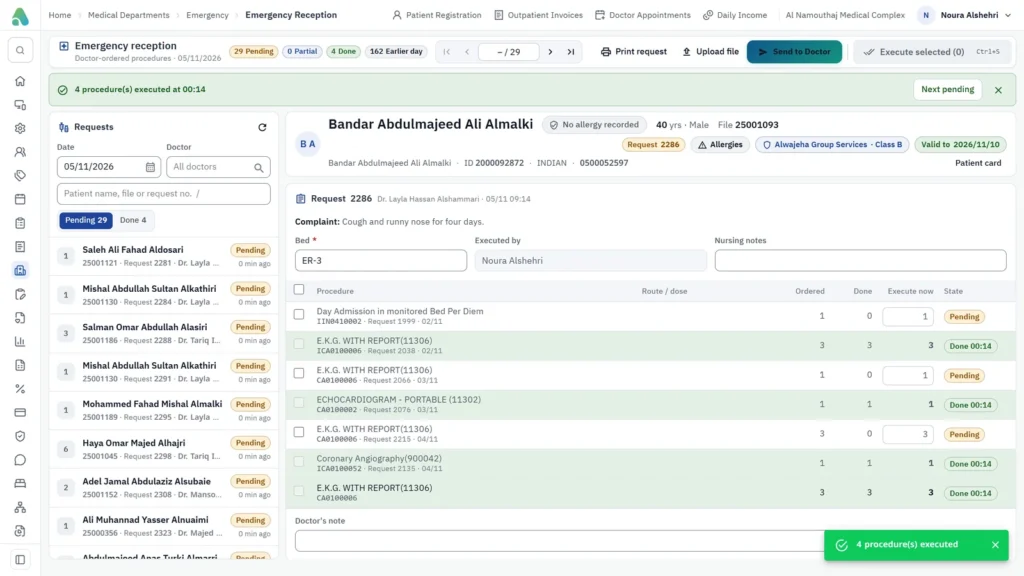
Emergency: several procedures in one click

Insurance and NPHIES: 36 screens and reports

From eligibility to approvals and claims, with each insurer’s price list and contract, through the NPHIES platform.
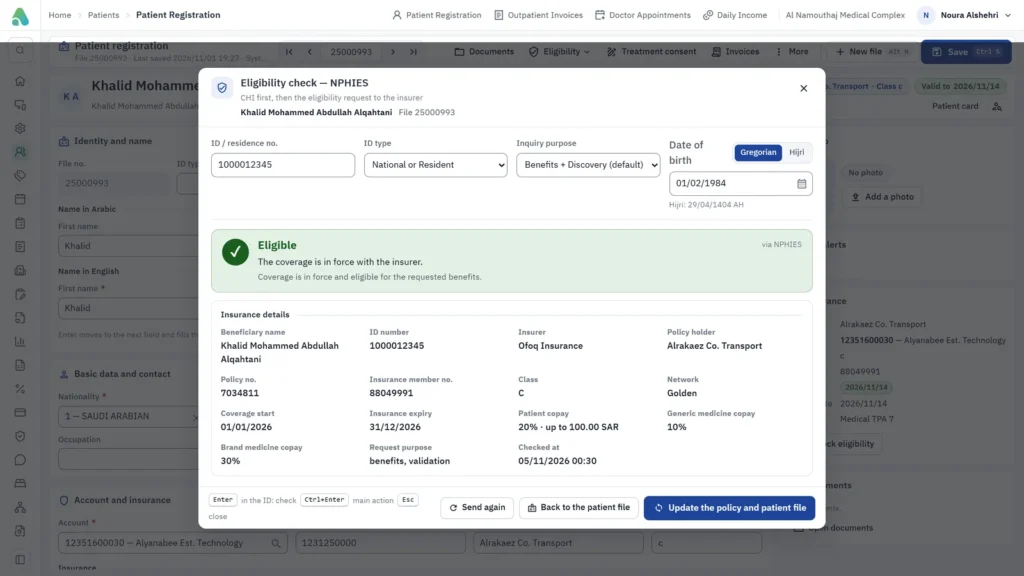
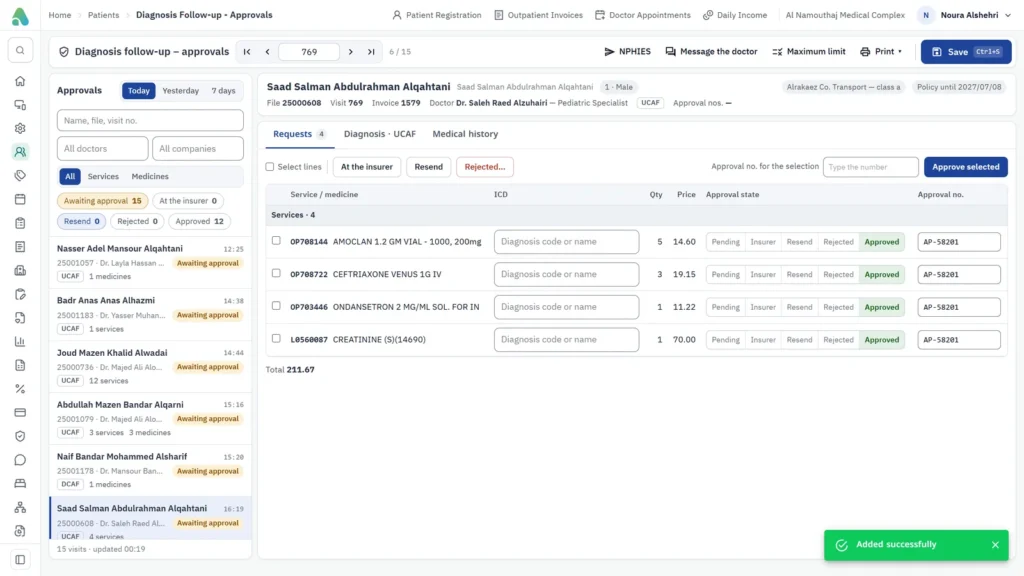
NPHIES eligibility check: result and coverage details
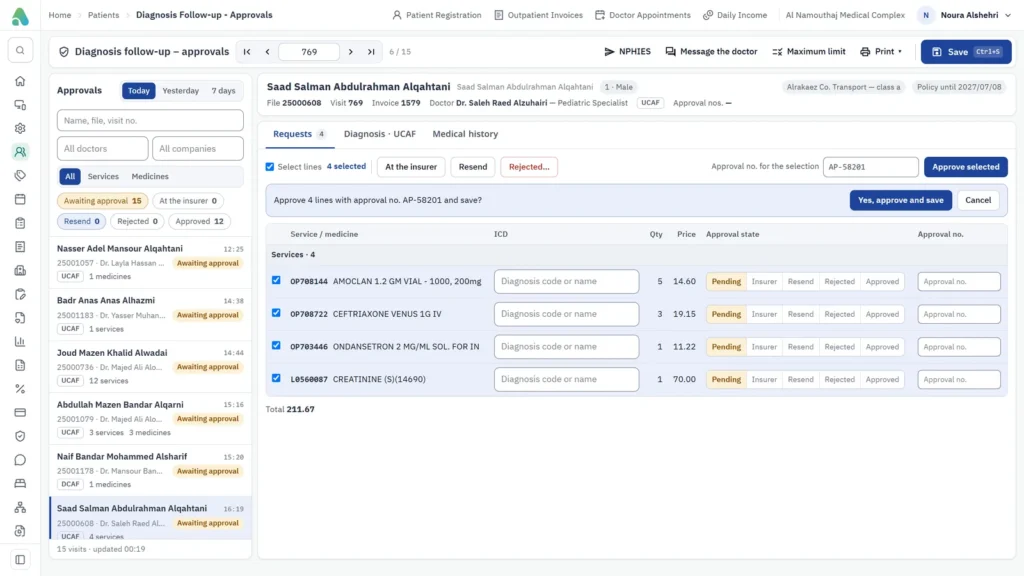
Approvals: approve lines under one approval number
Confirmation showing the line count before approval
  • Eligibility check
  • Prior-approval requests
  • Claim submission and response tracking
  • Price lists per insurer
  • Insurance contracts and co-payments
  • Claims and rejection reports

Pharmacy and inventory: 76 screens and reports

51 screens and 25 reports: inventory and branches, dispensing and sales, purchases, prescriptions and medicine contracts.

27inventory & branches
14dispensing & sales
11purchases

Inventory & branches · 27

Item card, SFDA data update, branch transfers, stocktaking and year close.

Dispensing & sales · 14

Prescription dispensing, cash and insurance sales, POS.

Purchases · 11

Purchase orders, invoices, suppliers and returns.

Prescriptions & medicine contracts

The doctor’s prescription reaches the pharmacy directly and is dispensed at the insurer’s contract price and co-payment.

RASAD — drug track & trace

Drug movement reported to the SFDA from the pharmacy screens.

25 reports

Balances, movement, expiry, sales and purchases.

Finance and reports, for the owner and the manager

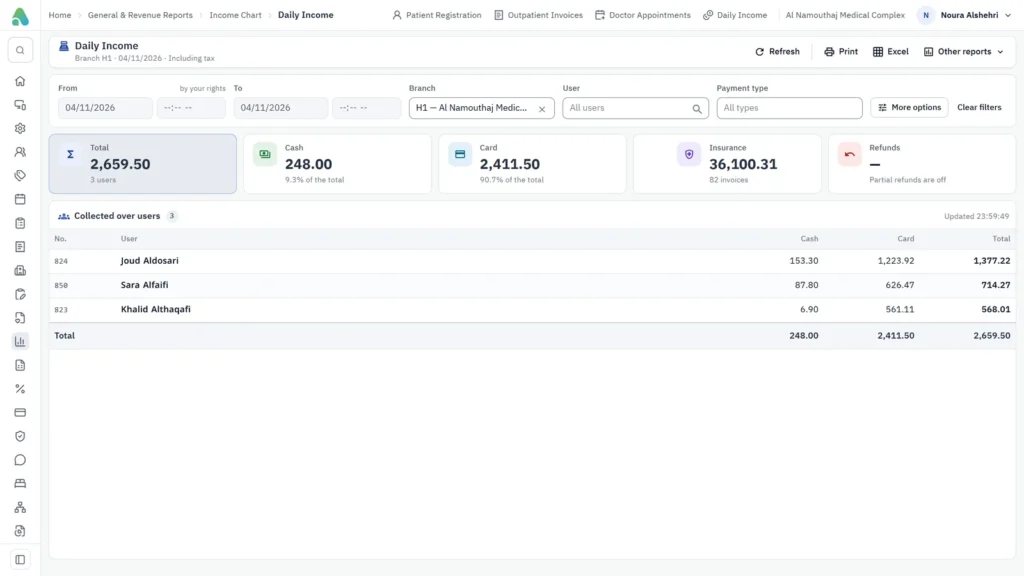
Accounts, ZATCA and POS (19), pharmacy accounts and fixed assets (20), and 34 management and revenue reports with charts.
19accounts, ZATCA & POS
20pharmacy accounts & assets
34management & revenue reports
Daily income: cash, card and insurance per user
Outpatient invoice for an insured patient
Insurance coverage details from NPHIES
  • Revenue by department, doctor and insurer
  • Account statements and financial statements
  • PDF and Excel from every report
  • Administration and settings: 24 screens

Compliance and integration: the four authorities

What the Kingdom’s authorities require of a healthcare facility, built into the system.

NPHIES

Eligibility, approvals and claims through the national platform.

RASAD

SFDA drug track and trace.

ZATCA

E-invoicing for invoices and returns.

CBAHI-ready

A unified patient record, an audit trail of who changed what and when, and standard forms — easing facility accreditation.

Additional services and hosting

WhatsApp messages

Appointment reminders, results and patient alerts.

POS devices

Payment terminals linked to reception and pharmacy invoices.

Local or cloud hosting

On the facility’s server, or on cloud hosting inside the Kingdom.

The move in three steps

  1. Install on your server or cloud hosting; set up clinics and insurers.
  2. Train department by department at your premises: reception, then doctors, then departments and pharmacy.
  3. Connect to NPHIES, RASAD and ZATCA, with follow-up until the team is settled.
↓ Download the brochure (PDF)

Shall we talk about your facility? Request a demo.

Leave your details and our team will contact you within one business day.

Call us: +966 59 906 5444 · WhatsApp

Agyad HIS is the new name of the Bilal Medical System: the same team and the same system, with new technology.