

Operations and security
Installed on your company server or hosted, and opened in a browser from any device on the network — nothing to install. Screens keep working on the local network even if the internet drops; only sending invoices to ZATCA needs a connection.
Your server or hosted
Your choice: a server at your premises, or hosting we manage for you. Either way, access is from the browser, and from outside the office through a secure connection.
Rights per screen and branch
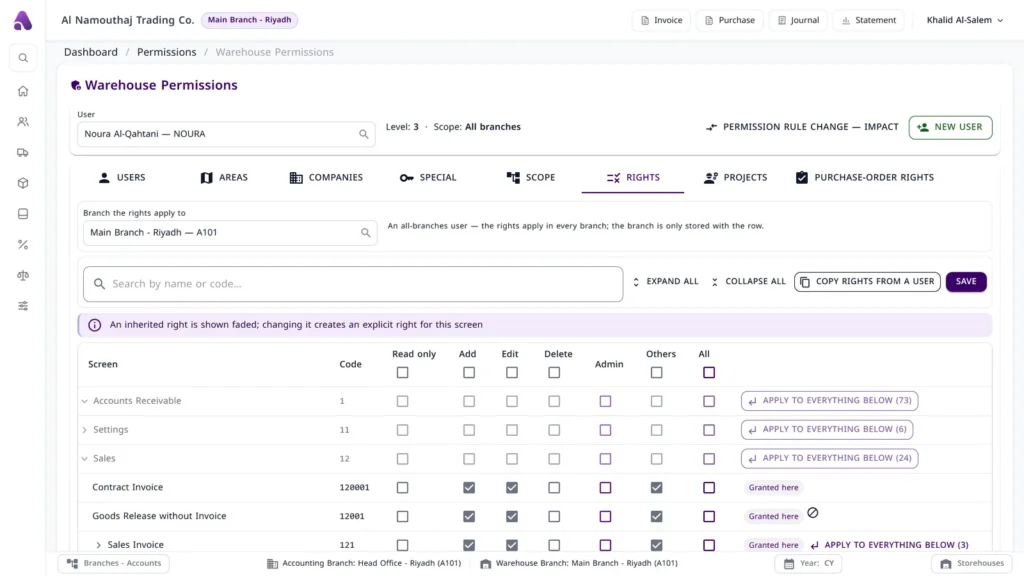
Read, add, edit, delete, manager — per user, per branch, with the set of companies and branches each user may open.
Backups and audit trail
Daily backups, and change tracking on entries and vouchers: who changed what, and when. The original author never changes.
The new generation, in the browser
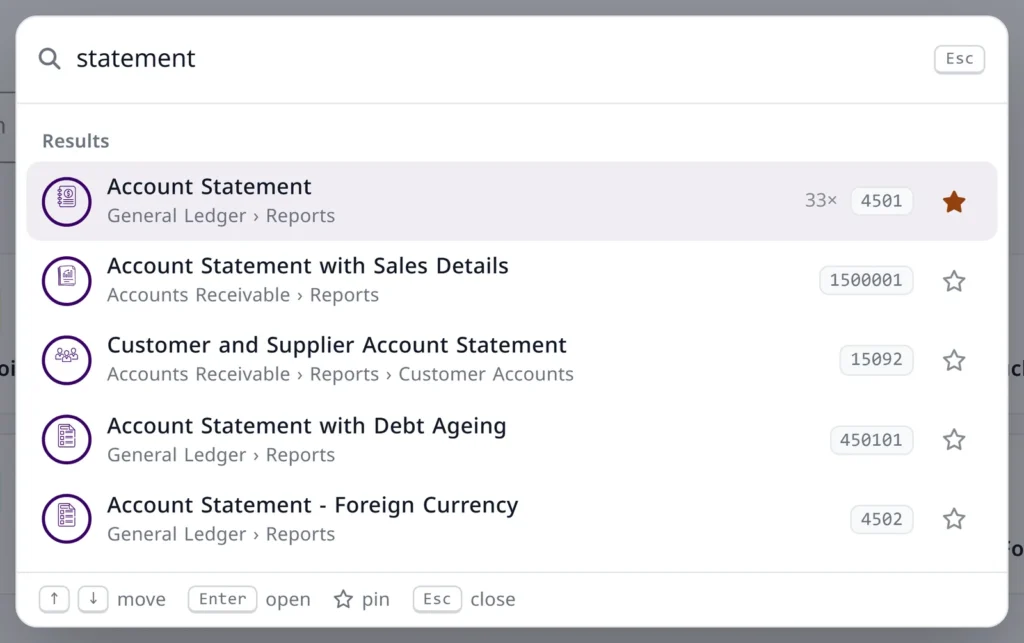
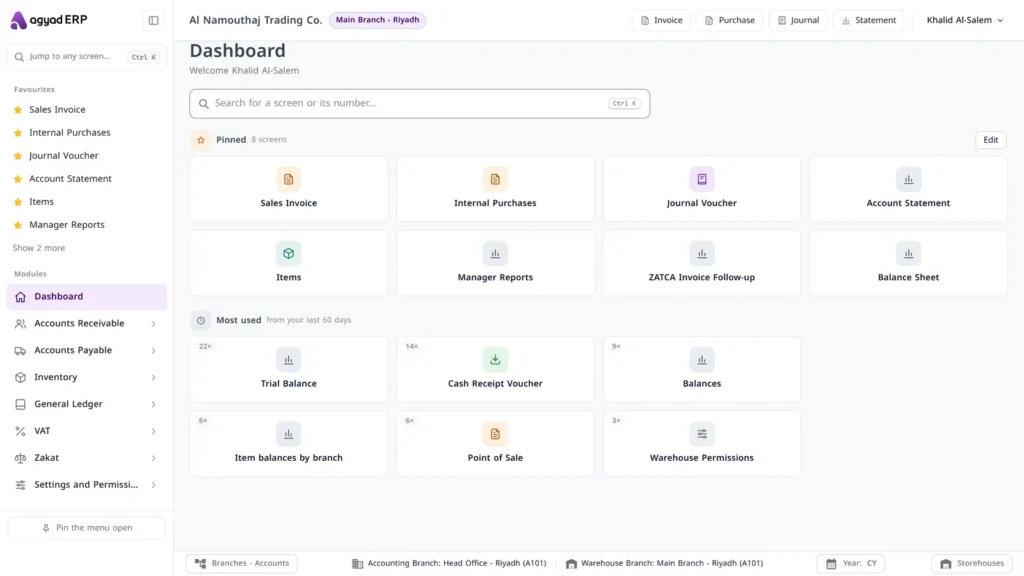
A dashboard for every user with pinned and most-used screens, search for any screen by name or number, and company/branch switching from the toolbar.

Several companies and branches, one system
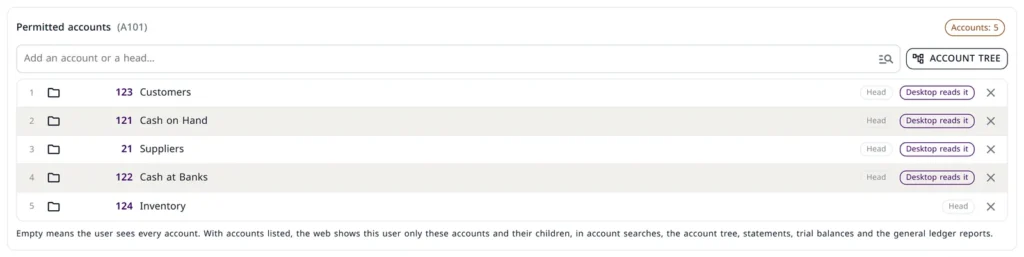
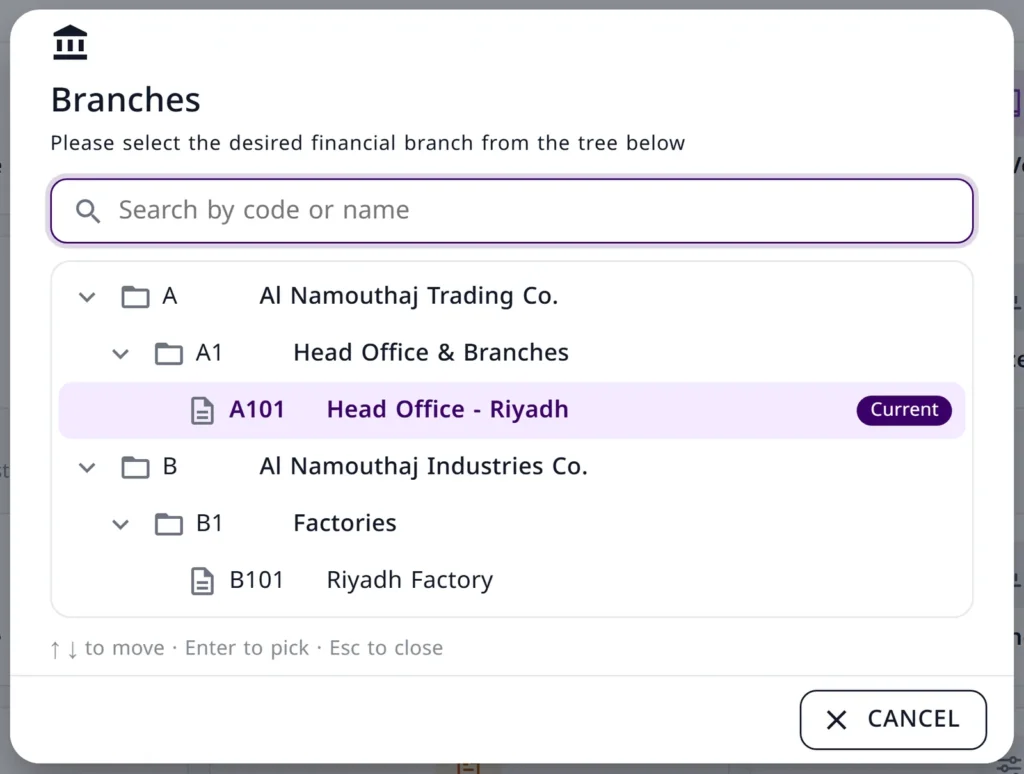
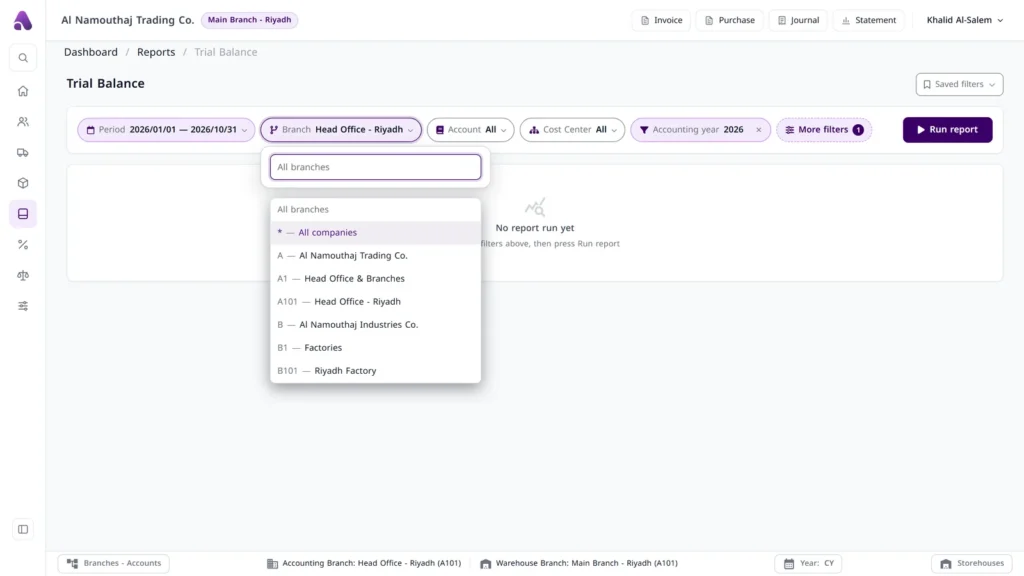
For a group: each company has its own chart and branches, users switch between them from the toolbar according to their rights, and reports run for one branch or for all permitted branches.
Switch companies and branches
Company and branch are shown in the toolbar and switched from there; every user has a set of permitted companies and branches.
Rights per screen and branch
Read, add, edit, delete, manager — per user, per branch, with a report showing the effect of any rule change.
Group-level reports
Sales, balance and cost comparisons across branches, item balances across all branches with totals, and manager reports on one page.
Sales and inventory, without errors
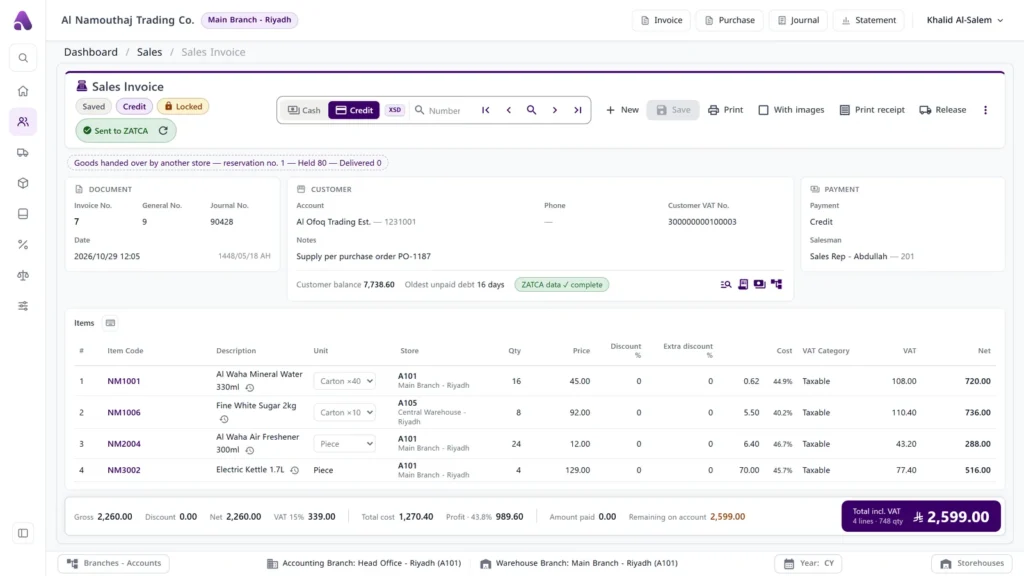
An invoice that knows its status, selling from more than one branch and store, and a system that stops the mistake before saving and tells you why.
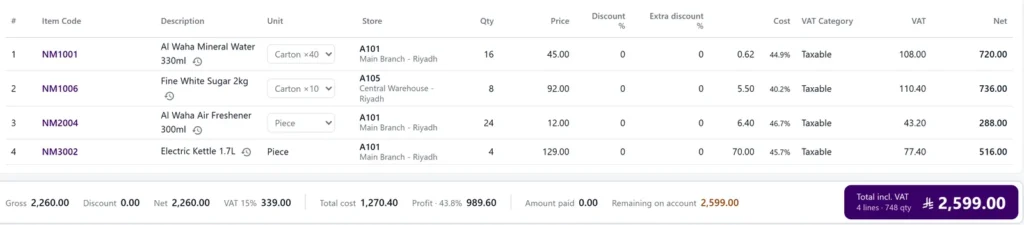
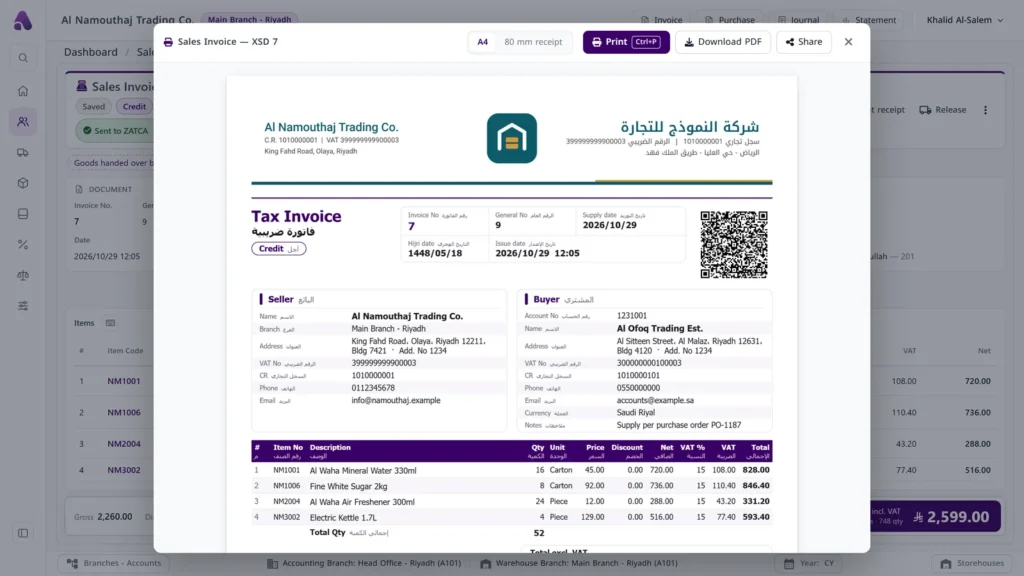
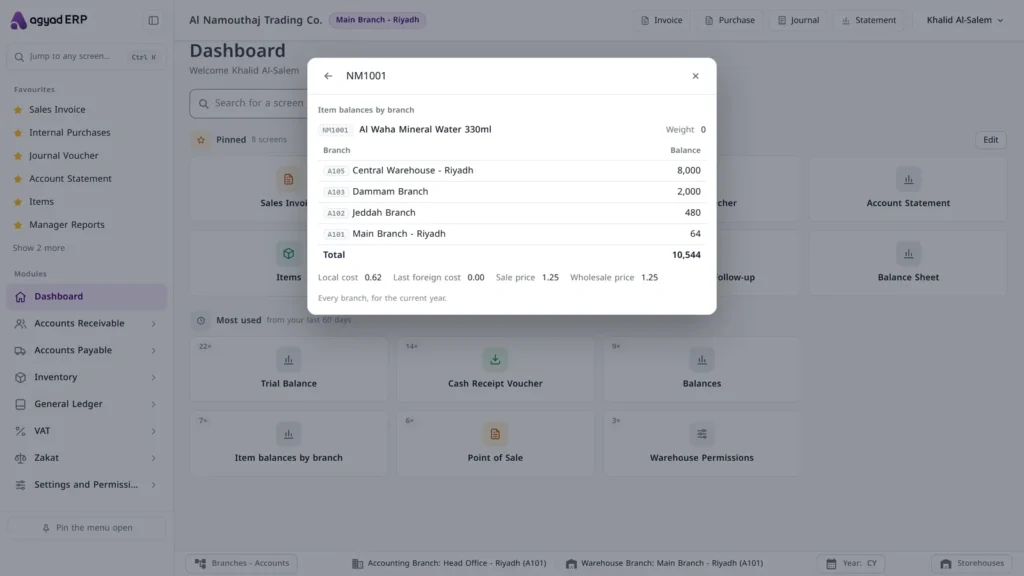
- Cash, credit, USD and contract invoices; quotations, pro-forma and reservations
- Returns linked to the original invoice and capped at the remaining quantity
- Sell from several branches and stores, with the item’s balance per branch in front of the seller
- Blocks sales below cost, over the credit limit or over the discount limit — and says why
- Transfers, receipts and stock requests between branches; stock counts and follow-up
- Item units (carton / piece)enabled per company
- Edit a purchase invoice after savingbranch setting
Accounting with an accountant’s depth
A chart of accounts with the number of digits you decide, cost centres, and entries and vouchers with a full trail of who changed what and when. Attachments are pasted straight onto the entry.
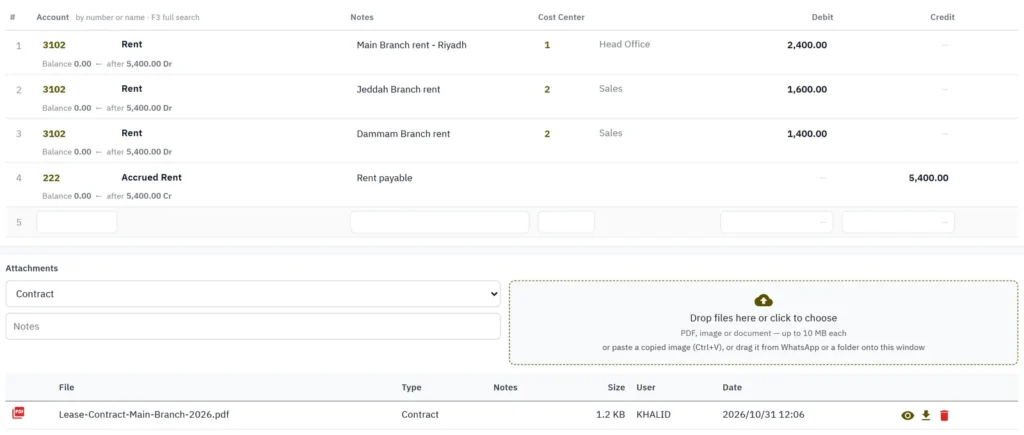
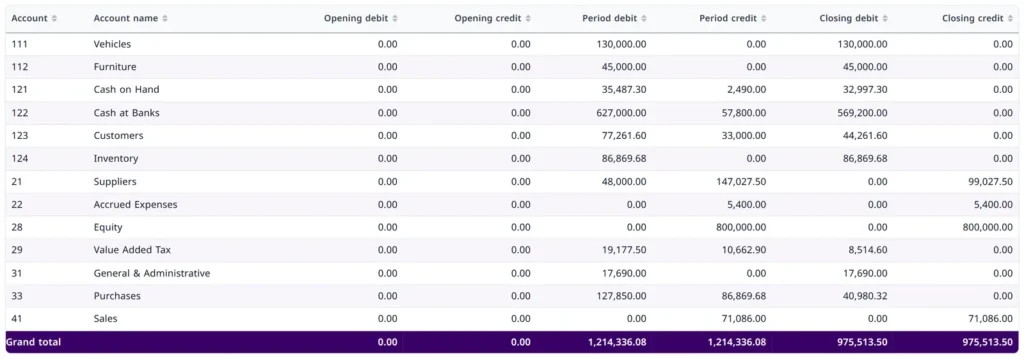
- Cash, bank, cheque and multi-line receipt and payment vouchers; petty-cash settlement
- Change tracking on entries and vouchers; the original author never changes
- A voucher photo from WhatsApp pasted onto the entry (Ctrl+V)
- Accounting periods and year-end closing; fixed-asset register with depreciation entries
Reports ready for the owner and the auditor
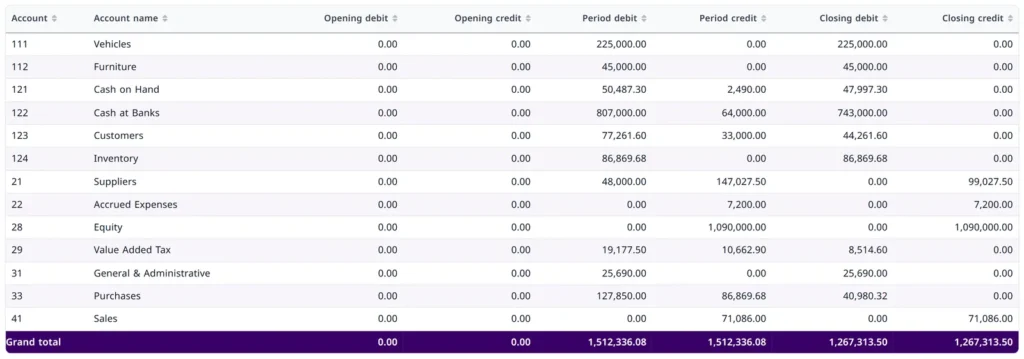
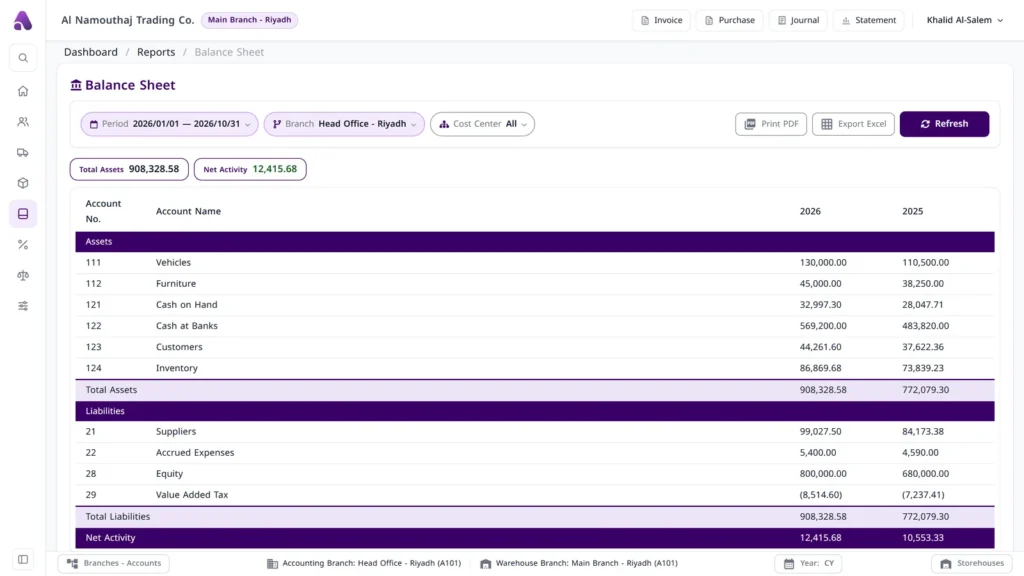
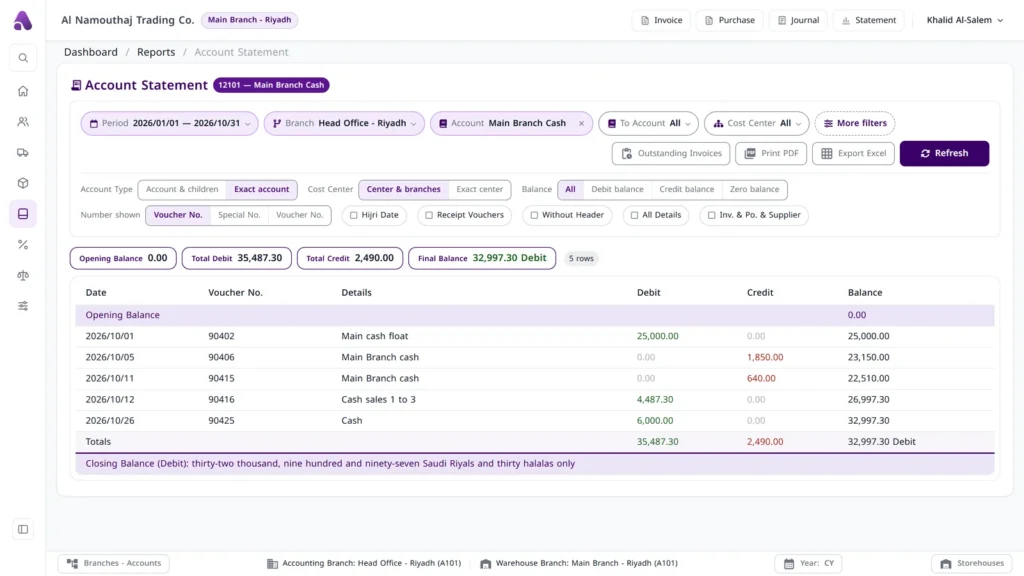
130 reports, all exportable to PDF and Excel with totals across every row, and the entry number opens the original document in one click.
ZATCA and VAT from one screen
Sales invoices and returns are sent to the Authority’s platform (Phase 2) once integration is enabled, and a follow-up screen shows the status of every invoice and the Authority’s response.
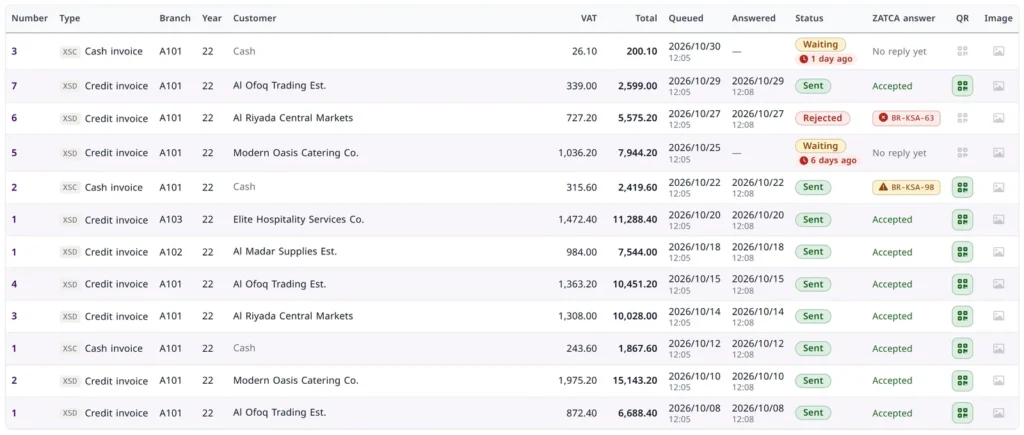
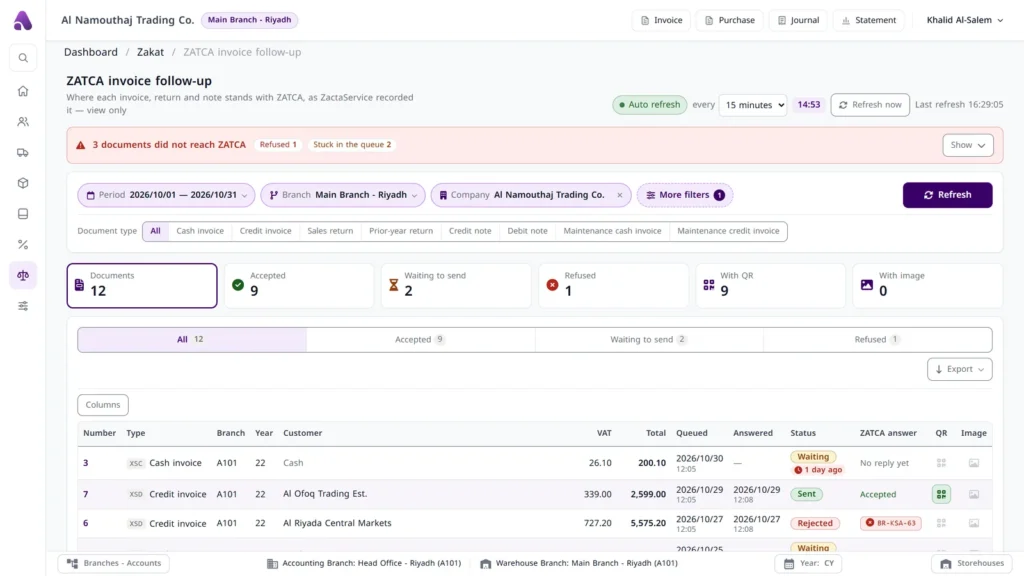
- Every sent invoice carries a “Sent to ZATCA” badge and is locked automatically
- Customer ZATCA details completed from the invoice itself
- Branch VAT return, plus sales, purchases and VAT detail reports
- Government return schedules straight from the system